
Analytics Conversions
- kwangjin baek
- Dec 12, 2022
- 2 min read


In analytics, conversions are the measurement of your business success such as buying a project. Both the previous version, UA, and the newer version, GA4, provide this feature but with different settings and names.
UA
UA has what is called a goal that is equal to a conversion. To set it, click 'admin' at the bottom left corner. then in the third column click 'Goals'

Click '+NEW GOAL'

The first step is to set up a goal. I choose either 'Template' or 'Custom'. All the set up is the same but the template option prepopulates some of the fields.

For each property you can make up to 20 goals. you can ignore the 'Goal slot ID' as it automatically chooses the next available ID. Fill out the 'Name' and choose 'Type' there are four types you can choose.
- Destination
- Duration
- Pages/Screen per session
- Event

Destination
let's see the 'Destination' option first. this option works with URL

Choose one of the options. with 'Equals to' the URL should match exactly as typed. For the 'Begins with' URL should start with the address typed in the box. For the 'Regular expression', you have many ways to implement, for example, if you want to check any URL that includes 'order' just type in 'order'. Then enter the address according to the option you have chosen.

You can add value and funnel if you want. Funnels are like stops on the way to the goal.
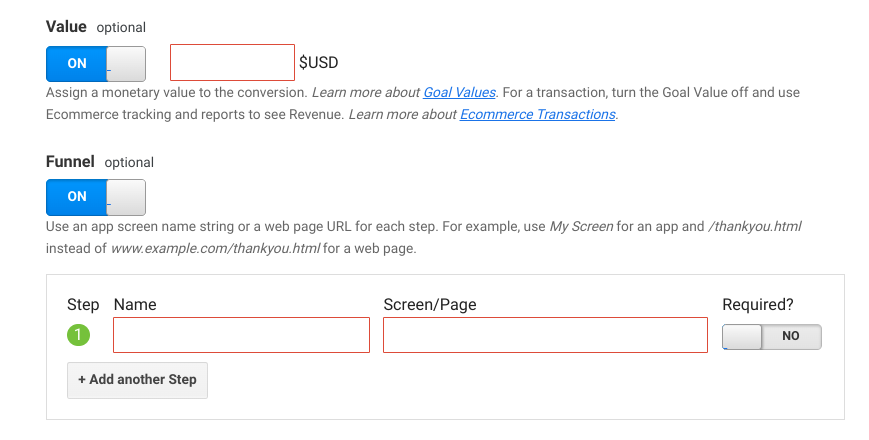
Click 'Save' then you are done

Duration
This option uses the amount of time a user has stayed on your website. Choose 'Duration'

Specify the time you want. You can also add value as well. Then click 'save'

Pages/Screens per session
This represents the number of pages (screens) a user has seen in a session. Click' Pages/Screen per session'

Then enter the number of pages you want. Adding value is also possible

Event
This fires when an event is triggered. Give you the most customization. Click 'event' and 'Continue'

As you can see you have many ways to use this option. The options for each item in the list work the same as the URL matching option. But for the most scenarios using 'Category' with 'Equals to' option will do.

To view the report
Click 'Conversions' -> 'Goals' - 'Overview'

GA4
In GA4 everything is an event. You can toggle an event to mark it as a conversion.
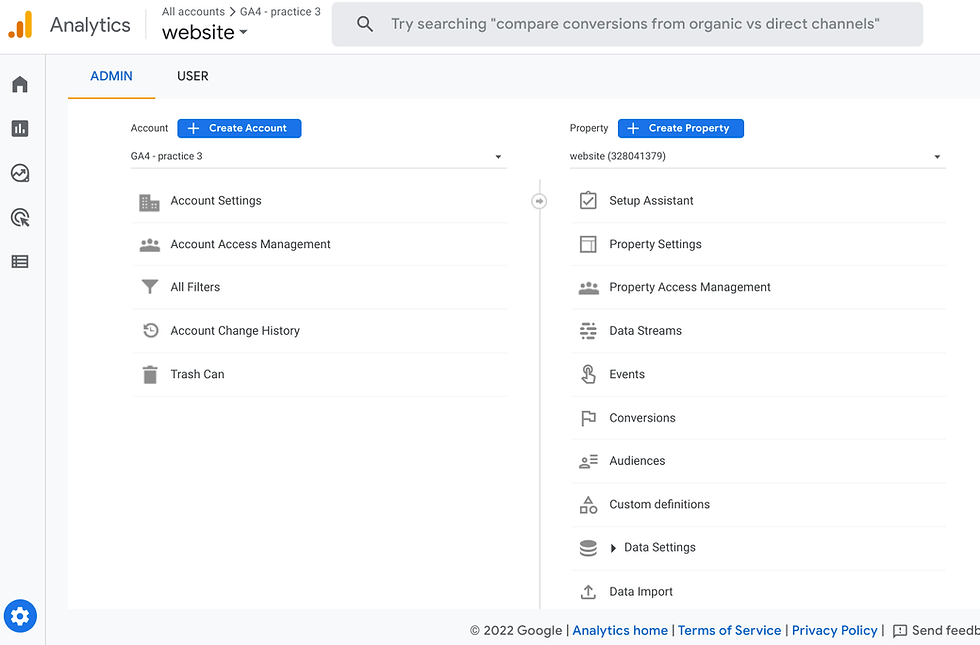
Click 'admin' on the bottom left corner. Then choose event in the middle under 'Property'
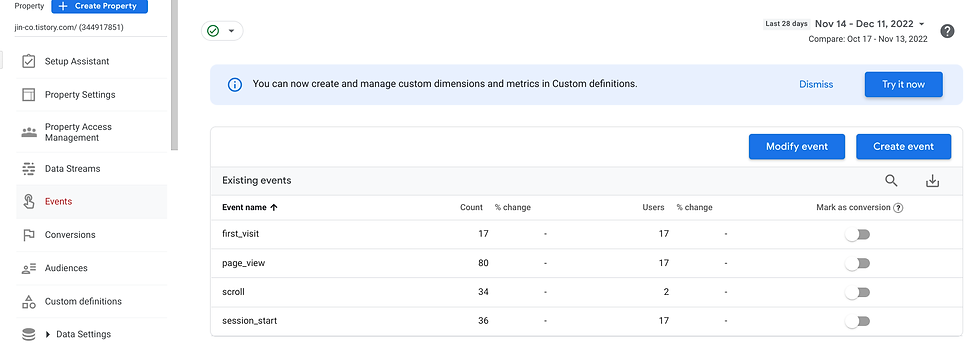
You will see the list of events that have been fired. toggle the 'Mark as conversion' column for the event you want mark as a conversion. then it is done.
To view the report
Click 'Report' -> 'Engagement' -> 'Conversions'

Conclusion
We have explored how to make conversions in both UA and GA4. I hope this is useful.
Reference
https://support.google.com/analytics/answer/11053136?hl=en


Comments