
GA4 Account, Property set up
- kwangjin baek
- Dec 8, 2022
- 1 min read


GA4 is a new version of Google Analytics. It is a great tool to track website traffic and capture a certain event and so on. Today, we are going to see how to set up a GA4 account and property.
There are three levels:
Account -> Property -> Data stream
Account
Account does not have to be about one site. Under an Account you can have up to 100 properties.
Click 'Admin' in the top menu. Then under the account (left side) click '+create account'

Enter account name
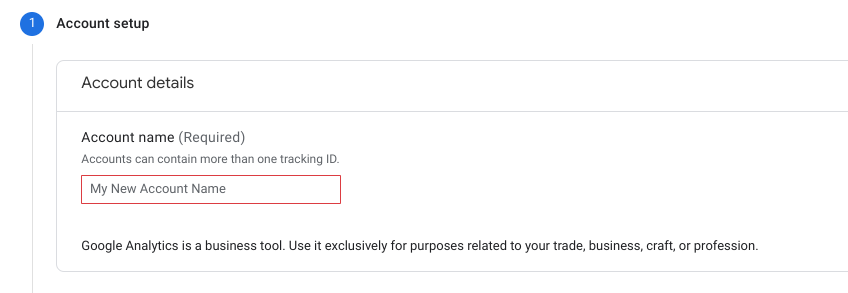
Then you will see a data sharing option which controls how the data in the Analytics will be shared with other Google products and services. Check or uncheck as you like

Click 'Next'

Enter 'Property name' -> select 'Reporting time zone' and 'Currency' depending on where your business is situated (Each property can have one data stream)

Business information is optional but you cannot edit later (you will see this only once when creating)

Click 'Create' when you are done

Check the box and click 'I Accept'

There are three platforms
- web
- android
- IOS

Web
type in the domain name of your website and enter 'Stream name'

If you want to create additional properties (data streams) under the same account (business). Click the '+create property' and follow the property set up above.

To edit or delete an account
click 'Account Settings'
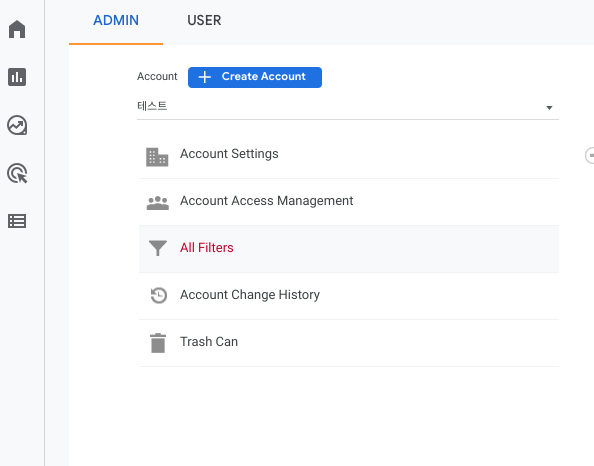
Click 'Move to Trash Can'

Reference
Set up Analytics... https://support.google.com/analytics/answer/9304153?hl=en&utm_id=ad#stream&zippy=%2Cios-app-or-android-app
Data sharing settings https://support.google.com/analytics/answer/1011397#zippy=%2Cin-this-article


Comments