
Google Ads Enhanced Conversion
- kwangjin baek
- Dec 9, 2022
- 3 min read


Enhanced conversion can reduce the lost conversions by sending supplementary information such as the user's email in addition to what is called glid ID in normal conversion tracking.
How it works
Conventional conversions uses cookies on the browser on the user's computer to identify if the conversion action is coming from Google Ads. But since it can take days or weeks, even months for a user to finally convert (e.g. purchase) so the cookie might be lost at the time of conversion given that the cookie stored on user's computer lasts only 30 days. Enhanced conversion (EC) uses a different method to match if the user who is converting is the user who clicked the Google Ads. Instead of getting an id from Google Ads click, EC uses a user's Google account information such as Gmail or name and address that is being sent with the conversion event at the time of conversion to match the user.
Is it safe to send the user's information
All the user information sent is hashed using SHA256 algorithm which is considered one of the most secure algorithms.
Prerequisite
- The site must be using Hypertext Transfer Protocol Secure (HTTPS) not HTTP (if the website is not using the secure protocol then the data collected won't be sent.
- The conversion source must be from the Google Ads (In this case, if you really want to implement EC, you can create another conversion to implement EC)

How to use it?
I assume that you already have a conversion created. Go to the conversion summary (by clicking 'Tools and settings' -> 'Conversions' under 'Measurement')
Then choose the conversion that you want to change to 'Enhanced conversions'

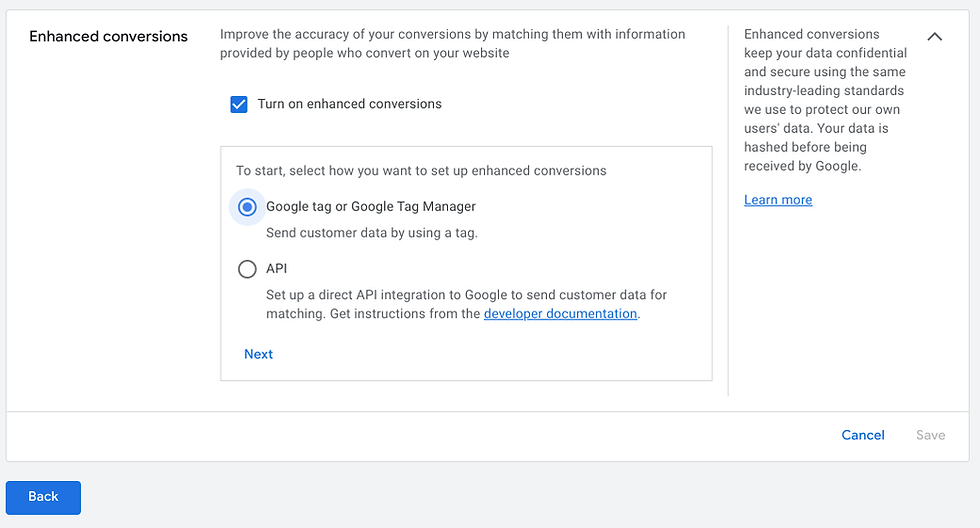
Click and open the 'Enhanced conversions' box at the bottom

Check the 'Turn on enhanced conversions'

There are options to implement
- Google tag or Google Tag Manager
- API
Google tag or Google Tag Manager
Check the first option that says 'Google tag or Google Tag Manager' and click 'Next'
Type in the URL and click 'Check URL'

If there is a GTM tag and it was able to find the tag. You will see this. Click 'save'

If for some reason, it was not able to find the GTM tag then you will see this. Click 'select one manually' at the bottom

Check the 'Google Tag Manager' and click 'Next' then click 'Save'

So the set up for the EC by Google tag manager is done. Let's go to the GTM account of yours.
Click 'Tags' and select the conversion that you want to change to EC

Open the first box

Go down and check where it says 'Include user-provided data from your website' and check it.

Select the box under it then choose 'New Variable'

You will see three ways to send the necessary data
- Automatic collection
- Manual configuration
- Code

Automatic collection (only email possible)
this automatically picks up email data (only email). So Once you check this, it is done setting up.

But this option picks up whatever it will find the first on the conversion page. So If you want to exclude emails that might interfere with the actual email you want check the 'Exclude selected elements' and paste CSS Selector.

Manual configuration
For this you can send all the data formats possible. Adding a configuration for each data format is the same so I will only show you how to add email.

Select email then choose 'New variable'

Click the box

Choose 'Custom JavaScript'

Paste the code below with the data you want to send. And click 'Save' (This is the value we are sending from the site)

Then click 'Save' one more time (this is a configuration for the value)

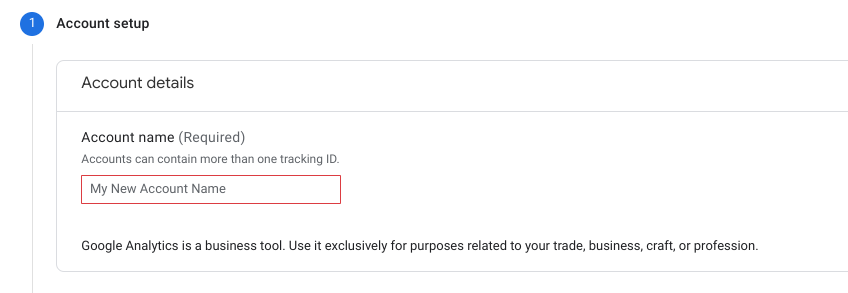
Enter account name
Code
Use this option if you want use the JavaScript variable or custom tag.

Select 'New variable' at the bottom
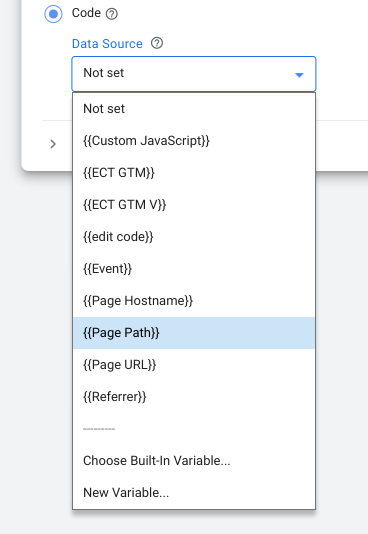
Choose 'JavaScript Variable'

Paste in the global variable name

Conclusion
We have seen what Enhanced conversions is and how to implement it. Enhanced conversion is certainly a good feature which can improve the conversion rate by adding more options to identify the user. But it has its limits such as heavy dependents on gmail to match the user. So give it a thought before you implement this. The good thing is that even if you see some errors in the Ads account regarding EC this won't affect the rate of the original conversion.
Reference
About enhanced conversions
Cookies and conversion tracking
SHA256


Comments